If you have spent any time reading datasheets, talking to design engineers, or sourcing parts for a new product, you have probably run into this question more than once: do you need a microcontroller, or do you need a microprocessor? The two terms get used loosely in casual conversation, and that loose usage causes real problems. Engineers pick the wrong chip family, procurement teams order parts that do not match the board design, and projects stall while everyone tries to figure out where the mismatch happened.
After years of sourcing semiconductors for clients across automotive, industrial, and consumer electronics projects, I can tell you that this confusion is one of the most common reasons a bill of materials gets revised mid-project. You do not want to be the person explaining to a client why the chip you sourced cannot run the operating system their software team already wrote. So let’s clear this up properly, with the kind of detail that actually helps you make a decision rather than just defining terms.
This guide walks through what each device actually does, how they differ at the architecture level, where each one fits best, and how to choose between them when you are staring at a new design and need to commit to a part number.
What Is a Microcontroller?
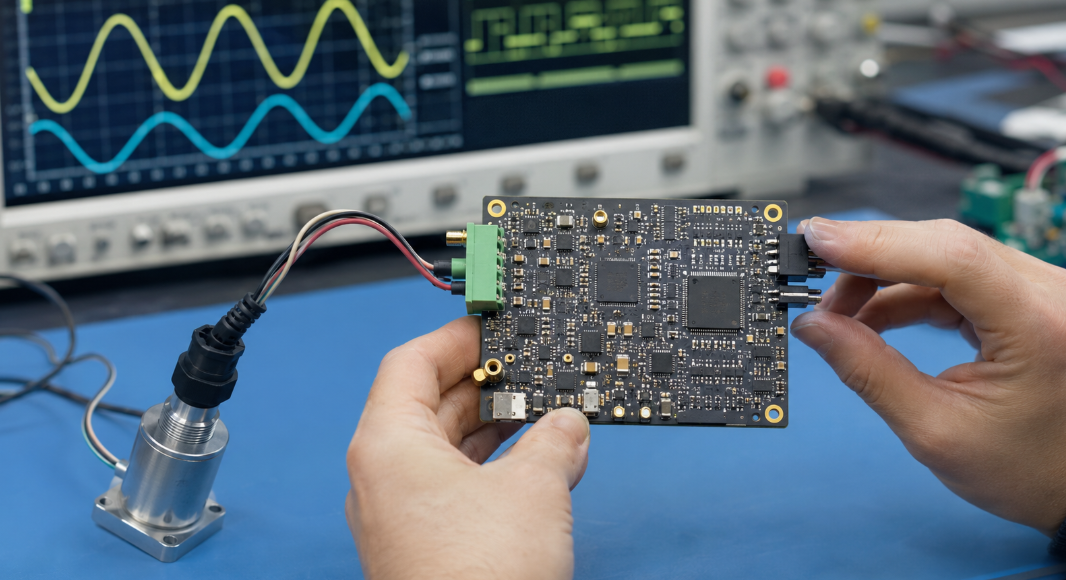
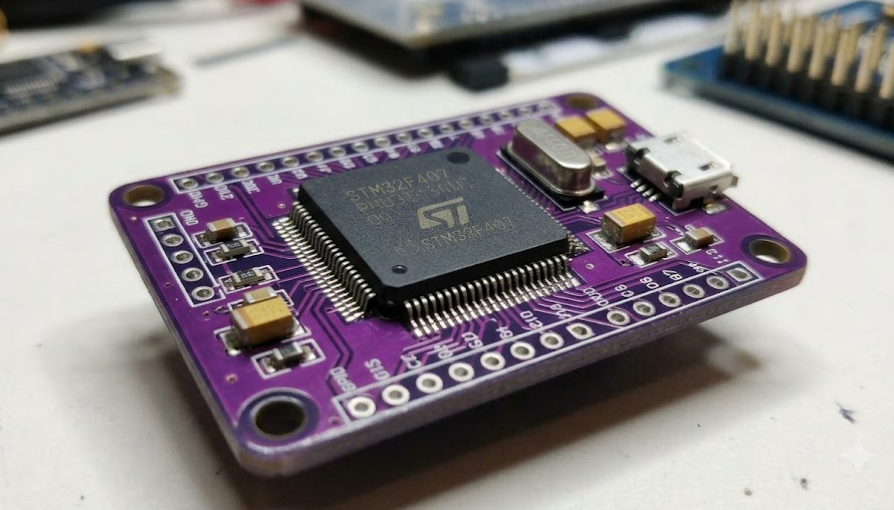
A microcontroller, often shortened to MCU, is a single chip that packs a processor core, memory, and input/output peripherals into one compact package. Think of it as a tiny, self-contained computer built for one job and built to do that job efficiently. You will not find a keyboard or monitor attached to an MCU, because it was never designed to run a full operating system or juggle multiple complex applications.
Instead, an MCU is built to control something. It reads sensor data, drives a motor, manages a display, or handles communication over a serial bus, often all at the same time, and it does this with minimal external support. That self-sufficiency is the entire point. When a design engineer chooses an MCU, they are usually choosing simplicity, low cost, and a smaller footprint over raw computing power.
How a Microcontroller Works
An MCU operates on a straightforward cycle: fetch an instruction, decode it, execute it, then move to the next one. What makes this cycle efficient inside a microcontroller is that the components needed to keep that cycle running, the memory, the clock, and the input/output controllers, all live on the same silicon die. There is no need to route signals out to external chips just to read a sensor or store a variable.
This tight integration means the MCU can respond to events almost instantly. Many microcontrollers use interrupt-driven processing, where the chip pauses whatever it is doing the moment a specific event occurs, like a button press or a sensor threshold being crossed, handles that event, then returns to its previous task. This is exactly why MCUs dominate real-time control applications. A washing machine does not need a supercomputer; it needs a chip that reliably triggers the right action at the right moment, cycle after cycle, for years.
Main Components Inside a Microcontroller
Every microcontroller, regardless of brand or architecture, generally contains the same core building blocks. Understanding these helps you read a datasheet faster and spot the right part for your application without getting lost in jargon.
The central processing unit handles instruction execution. Flash memory stores the program code permanently, even when power is removed. RAM holds temporary data while the program runs. Input and output pins, often called GPIO, connect the chip to the outside world, whether that is a button, an LED, or a sensor. Many MCUs also include built-in timers, analog-to-digital converters, and communication interfaces like UART, SPI, or I2C, which let the chip talk to other devices without needing extra glue logic on the board.
This combination is why a single microcontroller can replace what used to require a dozen separate chips on older designs. Fewer components means fewer solder joints, fewer failure points, and a board that is cheaper to manufacture at scale.
Common Microcontroller Families and Applications
| Family | Typical Architecture | Common Use Cases |
|---|---|---|
| ARM Cortex-M | 32-bit RISC | IoT devices, wearables, industrial sensors |
| AVR (Atmel/Microchip) | 8-bit RISC | Hobbyist boards, simple automation, education |
| PIC (Microchip) | 8/16-bit | Automotive switches, appliance control |
| MSP430 (TI) | 16-bit, ultra-low-power | Battery-powered metering, portable medical devices |
| STM32 (STMicroelectronics) | 32-bit ARM Cortex-M | Motor control, consumer electronics, robotics |
If you search component listings, you will notice that ARM Cortex-M based parts dominate new designs right now, largely because they balance power efficiency with enough processing headroom for modern features like wireless connectivity. We see this reflected directly in sourcing requests. Parts like the NXP LPC1768, built on a Cortex-M3 core, still see steady demand for embedded control applications years after release, simply because the architecture proved itself reliable in the field.
What Is a Microprocessor?
A microprocessor, or MPU, is the central processing brain of a larger computing system. Unlike an MCU, it does not try to be self-sufficient. Instead, it focuses entirely on raw computational power and depends on external chips for memory, storage, and peripheral control. You will find microprocessors at the heart of laptops, servers, smartphones, and any system that needs to run a full operating system and multiple applications simultaneously.
The defining trait of an MPU is specialization through separation. By offloading memory and peripheral management to other components, the processor itself can be optimized purely for speed and instruction throughput. This is why your laptop’s processor can switch between a browser, a video call, and a spreadsheet without breaking a sweat, while still leaving room to run background updates.
How a Microprocessor Works
A microprocessor executes instructions using the same basic fetch-decode-execute cycle as a microcontroller, but it does so at a vastly larger scale and speed. Modern microprocessors use techniques like pipelining, where multiple instructions are processed simultaneously at different stages, and branch prediction, which guesses upcoming instructions to keep the pipeline full. These techniques squeeze enormous performance out of every clock cycle.
Because the MPU itself contains no built-in memory beyond small, fast cache layers, it constantly communicates with external RAM and storage through a system bus. This communication is the bottleneck that engineers spend the most time optimizing in any computing system design. Faster buses, smarter caching, and efficient memory controllers are what separate a fast system from a sluggish one, even when the processor chip itself is identical.
External Components Required by a Microprocessor
A microprocessor on its own cannot do anything useful. It needs a support cast of components to function, and that support cast adds complexity, cost, and board space that an MCU simply does not require.
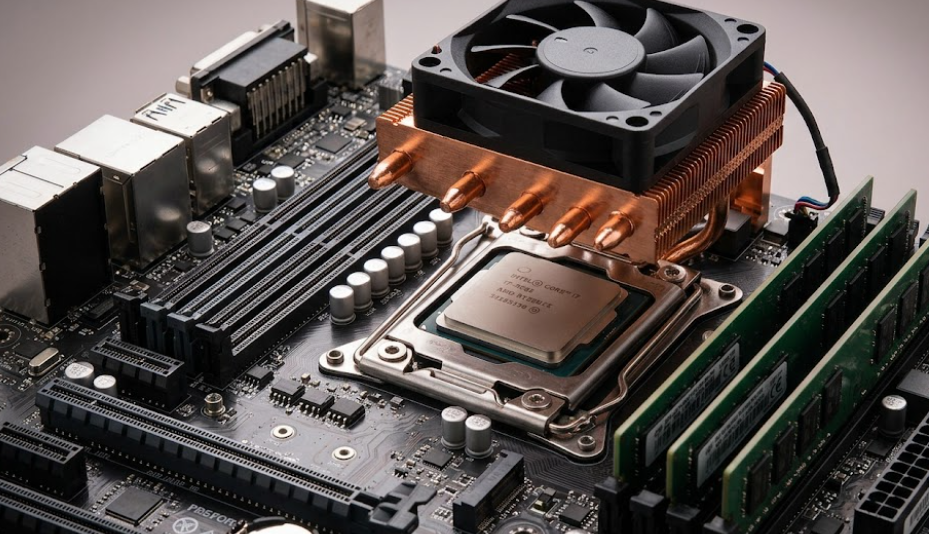
At minimum, a working MPU-based system needs external RAM for temporary data storage, non-volatile storage like flash or an SSD for the operating system and software, a chipset or controller hub to manage communication between the processor and peripherals, and power management circuitry to handle the higher current demands of a high-performance chip. Many systems also need a dedicated graphics processor, network interface, and cooling solution, especially as clock speeds climb.
This is one of the most overlooked factors when teams compare MCUs and MPUs purely on a spec sheet. The processor’s price tag is only part of the real cost. You also have to account for the entire support ecosystem that has to be designed, sourced, and validated around it.
Common Microprocessor Architectures and Applications
| Architecture | Typical Use Case | Example Vendors |
|---|---|---|
| x86 / x86-64 | Desktop, laptop, server computing | Intel, AMD |
| ARM Cortex-A | Smartphones, tablets, embedded Linux systems | Qualcomm, Apple, MediaTek |
| RISC-V | Emerging custom silicon, edge computing | SiFive, various open-source implementations |
Intel’s Core i9-14900K and AMD’s high-core-count server processors, like the Xeon Platinum series, sit firmly in this category. These chips exist to maximize throughput for general-purpose computing, not to control a single embedded function. If your project genuinely needs an operating system, multitasking, and significant computational horsepower, you are in microprocessor territory, full stop.
Microcontroller vs Microprocessor: Core Architecture Differences
The clearest way to separate these two device types is to look at how each one handles system architecture. This single distinction explains almost every other difference you will encounter later, from cost to power consumption to software requirements.
Integrated System vs External Component Design
A microcontroller is a complete system on a chip. Everything needed for basic operation, processing, memory, and input/output, sits on one piece of silicon. A microprocessor is the opposite philosophy entirely. It is one piece of a larger puzzle, deliberately designed to be paired with external memory, storage, and peripheral controllers.
This difference matters more than people expect during the design phase. An MCU-based board can be remarkably simple, sometimes just the chip, a crystal oscillator, a few capacitors, and connectors. An MPU-based board requires a much larger bill of materials and a more complex layout, because you are essentially building an entire computing platform rather than placing a single control chip.
Memory, Storage, and Peripheral Integration
Microcontrollers come with their memory baked in. The flash and RAM are part of the chip package, sized specifically for the application the MCU was designed to handle. This keeps things predictable. You know exactly how much memory you have, and you design your firmware around that fixed budget.
Microprocessors rely entirely on external memory and storage, which is both a limitation and an advantage depending on your perspective. The limitation is added board complexity. The advantage is scalability. You can pair the same processor with 4GB of RAM or 64GB of RAM depending on what the application demands, something no microcontroller can offer since its memory ceiling is fixed at fabrication.
Operating System and Software Requirements
This is where the practical difference becomes obvious to anyone writing code for these systems. Microcontrollers typically run either no operating system at all, executing a simple loop of instructions called bare-metal programming, or a lightweight real-time operating system designed for deterministic, time-critical tasks.
Microprocessors run full operating systems like Windows, Linux, or Android, capable of managing multiple processes, complex file systems, and user interfaces. Writing software for an MCU usually means working close to the hardware in C or assembly. Writing software for an MPU means working within a much richer software environment, with access to drivers, libraries, and frameworks that assume a full OS underneath them.
Key Performance Differences Between MCUs and MPUs
Once you understand the architectural split, the performance differences make intuitive sense. Each device type was optimized for a different goal, so naturally their performance profiles look completely different on paper.
Processing Speed and Computing Capability
Microprocessors win this category outright when measured in raw clock speed and instructions processed per second. A modern desktop processor can run at clock speeds several times higher than a typical MCU, and multi-core designs allow it to process several instruction streams in parallel.
Microcontrollers, meanwhile, are not trying to compete on this front. Most run at clock speeds in the tens to low hundreds of megahertz, occasionally reaching higher with advanced Cortex-M cores, but they make up for lower raw speed with extremely consistent, predictable timing for control tasks. Speed is not the goal; reliable, repeatable response time is.
Power Consumption and Thermal Management
Here the tables turn completely. Microcontrollers are champions of power efficiency, often running on mere microamps in sleep states and milliamps when active. This is precisely why MCUs power coin-cell battery devices that run for years without a battery change, like wireless sensors or fitness trackers.
Microprocessors consume dramatically more power, sometimes hundreds of watts under load for high-performance server chips. That power draw generates heat, which means MPU-based systems almost always require active cooling solutions, larger power supplies, and careful thermal design. If your application needs to run unattended on battery power for extended periods, this single factor alone often settles the MCU versus MPU debate before you even get to other considerations.
Real-Time Control and Multitasking Performance
Real-time responsiveness and multitasking sound similar but actually pull system design in opposite directions. Microcontrollers excel at real-time control because their interrupt systems and deterministic execution let them respond to physical-world events within precise, predictable timeframes. When a motor needs to stop within microseconds of a sensor trigger, you want an MCU running dedicated logic, not a general-purpose processor juggling a dozen background tasks.
Microprocessors excel at multitasking because their operating systems are built to manage many processes simultaneously, switching context rapidly between them. That flexibility comes at the cost of timing predictability. An MPU running a full OS can experience small, variable delays because the OS scheduler decides what runs when, which makes it a poor fit for tasks requiring guaranteed microsecond-level response.
Microcontroller vs Microprocessor Comparison Table
Sometimes the fastest way to settle a design debate is to put both options side by side and let the specifications speak for themselves.
Technical Specifications at a Glance
| Feature | Microcontroller (MCU) | Microprocessor (MPU) |
|---|---|---|
| Architecture | Self-contained, integrated system | Requires external memory and peripherals |
| Typical Clock Speed | Tens to low hundreds of MHz | Up to several GHz |
| Memory | Built-in, fixed flash and RAM | External, scalable RAM and storage |
| Operating System | Bare-metal or RTOS | Full OS (Linux, Windows, Android) |
| Power Consumption | Microamps to low milliamps | Watts to hundreds of watts |
| Best Suited For | Embedded control, real-time response | High-performance, multitasking computing |
Cost, Board Space, and Design Complexity
Microcontrollers generally lead to simpler, smaller, and less expensive boards because they eliminate the need for a chipset, external memory modules, and elaborate power delivery networks. For high-volume embedded products, this translates into meaningful savings across an entire production run, not just on the component itself but on board real estate and manufacturing time.
Microprocessors require a much larger design footprint and considerably more engineering effort to support correctly. You are not just placing a chip; you are designing an entire subsystem around it, including memory timing, thermal solutions, and power sequencing. That complexity is justified when you genuinely need the computing power, but it becomes wasted cost and unnecessary risk when an MCU would have done the job just fine.
Advantages and Limitations of Each Device
Microcontrollers offer simplicity, low power draw, low cost at scale, and excellent real-time performance, but they are limited by fixed memory and modest processing power that cannot be upgraded after manufacturing. Microprocessors offer immense computing power, flexibility, and scalability, but they demand more board space, generate more heat, draw significantly more power, and require a more complex, more expensive design around them.
Neither device is universally better. They solve different problems, and recognizing which problem you actually have is the entire skill here.
Applications of Microcontrollers and Microprocessors
Theory is useful, but seeing where each device actually gets deployed makes the distinction concrete and far easier to apply to your own project.
Microcontroller Applications in Embedded Systems
Microcontrollers run the unglamorous machinery of daily life. They sit inside remote controls, kitchen appliances, fitness trackers, smart thermostats, and the countless sensors monitoring everything from soil moisture to industrial pressure valves. Anywhere a device needs to perform a defined, repetitive function reliably without user-facing complexity, you will find an MCU quietly doing the work.
Microprocessor Applications in Computing Systems
Microprocessors power the systems people interact with directly and expect to multitask flawlessly. Laptops, desktops, servers, smartphones, and tablets all rely on MPUs to manage everything from web browsing to video editing to running entire data centers. Anywhere general-purpose computing power and operating system flexibility matter more than power efficiency, the microprocessor takes over.
Examples in Automotive, Industrial, Medical, and IoT Equipment
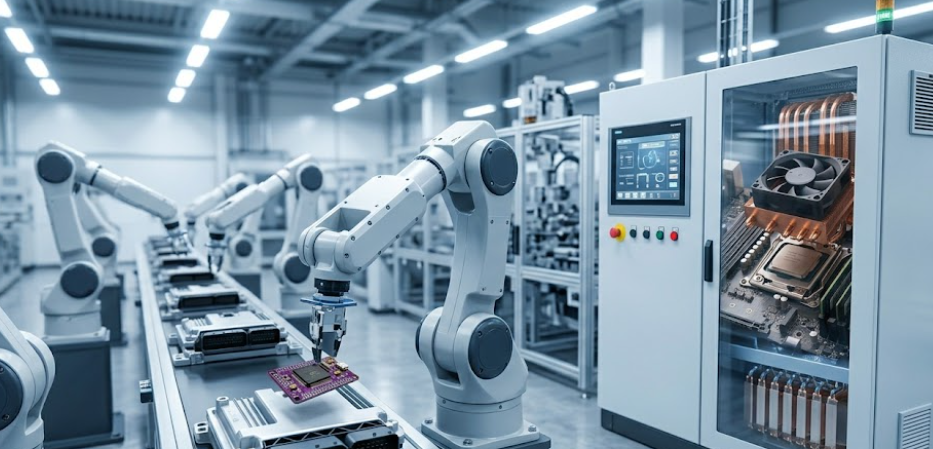
Modern vehicles often contain dozens of microcontrollers managing individual subsystems like window controls, airbag deployment, and engine sensors, while a more powerful processor handles the infotainment system and navigation display. Industrial automation equipment follows a similar pattern, using MCUs for motor control and safety interlocks while relying on more capable processors for the human-machine interface and data logging.
Medical devices show this division clearly too. A portable glucose monitor runs on an ultra-low-power MCU because battery life matters more than computing speed, while hospital imaging equipment needs the processing muscle of a full microprocessor to render diagnostic images in real time. IoT equipment frequently uses both together, an MCU handling sensor data collection and local control, paired with a more capable processor or cloud connection for data aggregation and analysis.
How to Choose Between a Microcontroller and a Microprocessor
This is the part that actually matters for your project, so let’s walk through it methodically rather than rushing to a conclusion.
Evaluate Processing, Memory, and Interface Requirements
Start by being honest about what your application actually needs to do, not what would be nice to have someday. If your device performs a defined set of control functions, reads sensors, and responds to predictable events, an MCU almost certainly covers your needs with room to spare. If your application needs to run complex software, manage a graphical user interface, or handle large datasets, you are looking at microprocessor territory.
Map out your memory requirements early too. If your firmware and data comfortably fit within a few hundred kilobytes to a few megabytes, most MCUs handle that easily. Once you need gigabytes of working memory or persistent storage measured in tens of gigabytes, no microcontroller exists that meets that need, and you have your answer already.
Consider Power Consumption, Operating Environment, and Lifecycle
Ask yourself how this device will be powered and where it will live. Battery-powered, remote, or unattended devices push you strongly toward an MCU, since the power efficiency difference between the two device types is not subtle, it is often a difference of several orders of magnitude. Devices that will sit on a desk or in a server rack with stable power and active cooling can absorb the higher draw of a microprocessor without issue.
Operating environment matters just as much. Harsh temperature swings, vibration, and dust exposure in automotive or industrial settings often favor the simpler, more rugged MCU design with fewer points of failure. Also think about product lifecycle. Many MCU families maintain long-term availability specifically because industrial and automotive customers need parts that will still be in production a decade from now, while consumer-grade microprocessors tend to follow much faster refresh cycles.
Check Manufacturer Support, Availability, and Replacement Options
This is the step that gets skipped most often, and it is the one that causes the most pain later. Before you commit a design to a specific part number, check whether that chip has a healthy second-source or pin-compatible alternative. Components get discontinued, lead times spike unexpectedly, and supply chains tighten without warning, sometimes with very little notice from the manufacturer.
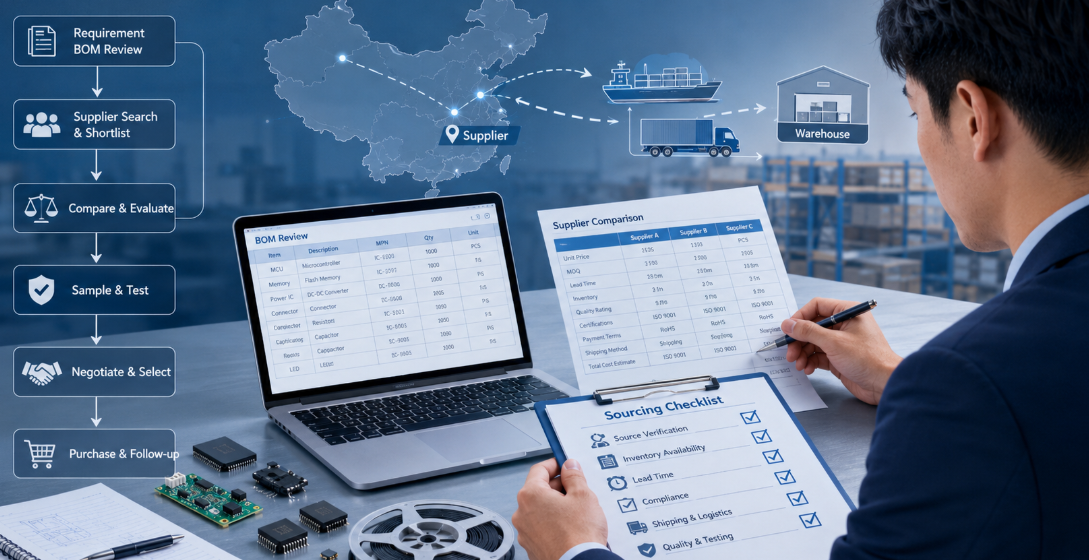
Working with a distributor who tracks part availability, lifecycle status, and cross-reference alternatives across multiple manufacturers can save you from a redesign scramble later. This is honestly one of the most underrated parts of component selection. The best-performing chip on paper is not always the best choice if it has a single source, a long lead time, or an unclear end-of-life roadmap.
Conclusion
Choosing between a microcontroller and a microprocessor really comes down to matching the device to the actual job. Microcontrollers give you a compact, power-efficient, cost-effective solution for dedicated control tasks with predictable, real-time behavior. Microprocessors give you the raw computing power and software flexibility needed for general-purpose computing, multitasking, and data-heavy applications. Get this decision right early, and the rest of your design, your bill of materials, your power budget, your software architecture, falls into place far more smoothly.
If you are also looking for electronic components, Duolink Electronics is an independent electronic component distributor supplying integrated circuits, semiconductors, passive components, connectors, and other electronic parts. We support customers with BOM sourcing, part number lookups, inventory checks, and sourcing for hard-to-find components. If you have a requirement, feel free to leave us a message on our website or reach our team directly through WhatsApp.
If you have spent any time reading datasheets, talking to design engineers, or sourcing parts for a new product, you have probably run into this question more than once: do you need a microcontroller, or do you need a microprocessor? The two terms get used loosely in casual conversation, and that loose usage causes real problems. Engineers pick the wrong chip family, procurement teams order parts that do not match the board design, and projects stall while everyone tries to figure out where the mismatch happened.
After years of sourcing semiconductors for clients across automotive, industrial, and consumer electronics projects, I can tell you that this confusion is one of the most common reasons a bill of materials gets revised mid-project. You do not want to be the person explaining to a client why the chip you sourced cannot run the operating system their software team already wrote. So let’s clear this up properly, with the kind of detail that actually helps you make a decision rather than just defining terms.
This guide walks through what each device actually does, how they differ at the architecture level, where each one fits best, and how to choose between them when you are staring at a new design and need to commit to a part number.
What Is a Microcontroller?
A microcontroller, often shortened to MCU, is a single chip that packs a processor core, memory, and input/output peripherals into one compact package. Think of it as a tiny, self-contained computer built for one job and built to do that job efficiently. You will not find a keyboard or monitor attached to an MCU, because it was never designed to run a full operating system or juggle multiple complex applications.
Instead, an MCU is built to control something. It reads sensor data, drives a motor, manages a display, or handles communication over a serial bus, often all at the same time, and it does this with minimal external support. That self-sufficiency is the entire point. When a design engineer chooses an MCU, they are usually choosing simplicity, low cost, and a smaller footprint over raw computing power.
How a Microcontroller Works
An MCU operates on a straightforward cycle: fetch an instruction, decode it, execute it, then move to the next one. What makes this cycle efficient inside a microcontroller is that the components needed to keep that cycle running, the memory, the clock, and the input/output controllers, all live on the same silicon die. There is no need to route signals out to external chips just to read a sensor or store a variable.
This tight integration means the MCU can respond to events almost instantly. Many microcontrollers use interrupt-driven processing, where the chip pauses whatever it is doing the moment a specific event occurs, like a button press or a sensor threshold being crossed, handles that event, then returns to its previous task. This is exactly why MCUs dominate real-time control applications. A washing machine does not need a supercomputer; it needs a chip that reliably triggers the right action at the right moment, cycle after cycle, for years.
Main Components Inside a Microcontroller
Every microcontroller, regardless of brand or architecture, generally contains the same core building blocks. Understanding these helps you read a datasheet faster and spot the right part for your application without getting lost in jargon.
The central processing unit handles instruction execution. Flash memory stores the program code permanently, even when power is removed. RAM holds temporary data while the program runs. Input and output pins, often called GPIO, connect the chip to the outside world, whether that is a button, an LED, or a sensor. Many MCUs also include built-in timers, analog-to-digital converters, and communication interfaces like UART, SPI, or I2C, which let the chip talk to other devices without needing extra glue logic on the board.
This combination is why a single microcontroller can replace what used to require a dozen separate chips on older designs. Fewer components means fewer solder joints, fewer failure points, and a board that is cheaper to manufacture at scale.
Common Microcontroller Families and Applications
| Family | Typical Architecture | Common Use Cases |
|---|---|---|
| ARM Cortex-M | 32-bit RISC | IoT devices, wearables, industrial sensors |
| AVR (Atmel/Microchip) | 8-bit RISC | Hobbyist boards, simple automation, education |
| PIC (Microchip) | 8/16-bit | Automotive switches, appliance control |
| MSP430 (TI) | 16-bit, ultra-low-power | Battery-powered metering, portable medical devices |
| STM32 (STMicroelectronics) | 32-bit ARM Cortex-M | Motor control, consumer electronics, robotics |
If you search component listings, you will notice that ARM Cortex-M based parts dominate new designs right now, largely because they balance power efficiency with enough processing headroom for modern features like wireless connectivity. We see this reflected directly in sourcing requests. Parts like the NXP LPC1768, built on a Cortex-M3 core, still see steady demand for embedded control applications years after release, simply because the architecture proved itself reliable in the field.
What Is a Microprocessor?
A microprocessor, or MPU, is the central processing brain of a larger computing system. Unlike an MCU, it does not try to be self-sufficient. Instead, it focuses entirely on raw computational power and depends on external chips for memory, storage, and peripheral control. You will find microprocessors at the heart of laptops, servers, smartphones, and any system that needs to run a full operating system and multiple applications simultaneously.
The defining trait of an MPU is specialization through separation. By offloading memory and peripheral management to other components, the processor itself can be optimized purely for speed and instruction throughput. This is why your laptop’s processor can switch between a browser, a video call, and a spreadsheet without breaking a sweat, while still leaving room to run background updates.
How a Microprocessor Works
A microprocessor executes instructions using the same basic fetch-decode-execute cycle as a microcontroller, but it does so at a vastly larger scale and speed. Modern microprocessors use techniques like pipelining, where multiple instructions are processed simultaneously at different stages, and branch prediction, which guesses upcoming instructions to keep the pipeline full. These techniques squeeze enormous performance out of every clock cycle.
Because the MPU itself contains no built-in memory beyond small, fast cache layers, it constantly communicates with external RAM and storage through a system bus. This communication is the bottleneck that engineers spend the most time optimizing in any computing system design. Faster buses, smarter caching, and efficient memory controllers are what separate a fast system from a sluggish one, even when the processor chip itself is identical.
External Components Required by a Microprocessor
A microprocessor on its own cannot do anything useful. It needs a support cast of components to function, and that support cast adds complexity, cost, and board space that an MCU simply does not require.
At minimum, a working MPU-based system needs external RAM for temporary data storage, non-volatile storage like flash or an SSD for the operating system and software, a chipset or controller hub to manage communication between the processor and peripherals, and power management circuitry to handle the higher current demands of a high-performance chip. Many systems also need a dedicated graphics processor, network interface, and cooling solution, especially as clock speeds climb.
This is one of the most overlooked factors when teams compare MCUs and MPUs purely on a spec sheet. The processor’s price tag is only part of the real cost. You also have to account for the entire support ecosystem that has to be designed, sourced, and validated around it.
Common Microprocessor Architectures and Applications
| Architecture | Typical Use Case | Example Vendors |
|---|---|---|
| x86 / x86-64 | Desktop, laptop, server computing | Intel, AMD |
| ARM Cortex-A | Smartphones, tablets, embedded Linux systems | Qualcomm, Apple, MediaTek |
| RISC-V | Emerging custom silicon, edge computing | SiFive, various open-source implementations |
Intel’s Core i9-14900K and AMD’s high-core-count server processors, like the Xeon Platinum series, sit firmly in this category. These chips exist to maximize throughput for general-purpose computing, not to control a single embedded function. If your project genuinely needs an operating system, multitasking, and significant computational horsepower, you are in microprocessor territory, full stop.
Microcontroller vs Microprocessor: Core Architecture Differences
The clearest way to separate these two device types is to look at how each one handles system architecture. This single distinction explains almost every other difference you will encounter later, from cost to power consumption to software requirements.
Integrated System vs External Component Design
A microcontroller is a complete system on a chip. Everything needed for basic operation, processing, memory, and input/output, sits on one piece of silicon. A microprocessor is the opposite philosophy entirely. It is one piece of a larger puzzle, deliberately designed to be paired with external memory, storage, and peripheral controllers.
This difference matters more than people expect during the design phase. An MCU-based board can be remarkably simple, sometimes just the chip, a crystal oscillator, a few capacitors, and connectors. An MPU-based board requires a much larger bill of materials and a more complex layout, because you are essentially building an entire computing platform rather than placing a single control chip.
Memory, Storage, and Peripheral Integration
Microcontrollers come with their memory baked in. The flash and RAM are part of the chip package, sized specifically for the application the MCU was designed to handle. This keeps things predictable. You know exactly how much memory you have, and you design your firmware around that fixed budget.
Microprocessors rely entirely on external memory and storage, which is both a limitation and an advantage depending on your perspective. The limitation is added board complexity. The advantage is scalability. You can pair the same processor with 4GB of RAM or 64GB of RAM depending on what the application demands, something no microcontroller can offer since its memory ceiling is fixed at fabrication.
Operating System and Software Requirements
This is where the practical difference becomes obvious to anyone writing code for these systems. Microcontrollers typically run either no operating system at all, executing a simple loop of instructions called bare-metal programming, or a lightweight real-time operating system designed for deterministic, time-critical tasks.
Microprocessors run full operating systems like Windows, Linux, or Android, capable of managing multiple processes, complex file systems, and user interfaces. Writing software for an MCU usually means working close to the hardware in C or assembly. Writing software for an MPU means working within a much richer software environment, with access to drivers, libraries, and frameworks that assume a full OS underneath them.
Key Performance Differences Between MCUs and MPUs
Once you understand the architectural split, the performance differences make intuitive sense. Each device type was optimized for a different goal, so naturally their performance profiles look completely different on paper.
Processing Speed and Computing Capability
Microprocessors win this category outright when measured in raw clock speed and instructions processed per second. A modern desktop processor can run at clock speeds several times higher than a typical MCU, and multi-core designs allow it to process several instruction streams in parallel.
Microcontrollers, meanwhile, are not trying to compete on this front. Most run at clock speeds in the tens to low hundreds of megahertz, occasionally reaching higher with advanced Cortex-M cores, but they make up for lower raw speed with extremely consistent, predictable timing for control tasks. Speed is not the goal; reliable, repeatable response time is.
Power Consumption and Thermal Management
Here the tables turn completely. Microcontrollers are champions of power efficiency, often running on mere microamps in sleep states and milliamps when active. This is precisely why MCUs power coin-cell battery devices that run for years without a battery change, like wireless sensors or fitness trackers.
Microprocessors consume dramatically more power, sometimes hundreds of watts under load for high-performance server chips. That power draw generates heat, which means MPU-based systems almost always require active cooling solutions, larger power supplies, and careful thermal design. If your application needs to run unattended on battery power for extended periods, this single factor alone often settles the MCU versus MPU debate before you even get to other considerations.
Real-Time Control and Multitasking Performance
Real-time responsiveness and multitasking sound similar but actually pull system design in opposite directions. Microcontrollers excel at real-time control because their interrupt systems and deterministic execution let them respond to physical-world events within precise, predictable timeframes. When a motor needs to stop within microseconds of a sensor trigger, you want an MCU running dedicated logic, not a general-purpose processor juggling a dozen background tasks.
Microprocessors excel at multitasking because their operating systems are built to manage many processes simultaneously, switching context rapidly between them. That flexibility comes at the cost of timing predictability. An MPU running a full OS can experience small, variable delays because the OS scheduler decides what runs when, which makes it a poor fit for tasks requiring guaranteed microsecond-level response.
Microcontroller vs Microprocessor Comparison Table
Sometimes the fastest way to settle a design debate is to put both options side by side and let the specifications speak for themselves.
Technical Specifications at a Glance
| Feature | Microcontroller (MCU) | Microprocessor (MPU) |
|---|---|---|
| Architecture | Self-contained, integrated system | Requires external memory and peripherals |
| Typical Clock Speed | Tens to low hundreds of MHz | Up to several GHz |
| Memory | Built-in, fixed flash and RAM | External, scalable RAM and storage |
| Operating System | Bare-metal or RTOS | Full OS (Linux, Windows, Android) |
| Power Consumption | Microamps to low milliamps | Watts to hundreds of watts |
| Best Suited For | Embedded control, real-time response | High-performance, multitasking computing |
Cost, Board Space, and Design Complexity
Microcontrollers generally lead to simpler, smaller, and less expensive boards because they eliminate the need for a chipset, external memory modules, and elaborate power delivery networks. For high-volume embedded products, this translates into meaningful savings across an entire production run, not just on the component itself but on board real estate and manufacturing time.
Microprocessors require a much larger design footprint and considerably more engineering effort to support correctly. You are not just placing a chip; you are designing an entire subsystem around it, including memory timing, thermal solutions, and power sequencing. That complexity is justified when you genuinely need the computing power, but it becomes wasted cost and unnecessary risk when an MCU would have done the job just fine.
Advantages and Limitations of Each Device
Microcontrollers offer simplicity, low power draw, low cost at scale, and excellent real-time performance, but they are limited by fixed memory and modest processing power that cannot be upgraded after manufacturing. Microprocessors offer immense computing power, flexibility, and scalability, but they demand more board space, generate more heat, draw significantly more power, and require a more complex, more expensive design around them.
Neither device is universally better. They solve different problems, and recognizing which problem you actually have is the entire skill here.
Applications of Microcontrollers and Microprocessors
Theory is useful, but seeing where each device actually gets deployed makes the distinction concrete and far easier to apply to your own project.
Microcontroller Applications in Embedded Systems
Microcontrollers run the unglamorous machinery of daily life. They sit inside remote controls, kitchen appliances, fitness trackers, smart thermostats, and the countless sensors monitoring everything from soil moisture to industrial pressure valves. Anywhere a device needs to perform a defined, repetitive function reliably without user-facing complexity, you will find an MCU quietly doing the work.
Microprocessor Applications in Computing Systems
Microprocessors power the systems people interact with directly and expect to multitask flawlessly. Laptops, desktops, servers, smartphones, and tablets all rely on MPUs to manage everything from web browsing to video editing to running entire data centers. Anywhere general-purpose computing power and operating system flexibility matter more than power efficiency, the microprocessor takes over.
Examples in Automotive, Industrial, Medical, and IoT Equipment
Modern vehicles often contain dozens of microcontrollers managing individual subsystems like window controls, airbag deployment, and engine sensors, while a more powerful processor handles the infotainment system and navigation display. Industrial automation equipment follows a similar pattern, using MCUs for motor control and safety interlocks while relying on more capable processors for the human-machine interface and data logging.
Medical devices show this division clearly too. A portable glucose monitor runs on an ultra-low-power MCU because battery life matters more than computing speed, while hospital imaging equipment needs the processing muscle of a full microprocessor to render diagnostic images in real time. IoT equipment frequently uses both together, an MCU handling sensor data collection and local control, paired with a more capable processor or cloud connection for data aggregation and analysis.
How to Choose Between a Microcontroller and a Microprocessor
This is the part that actually matters for your project, so let’s walk through it methodically rather than rushing to a conclusion.
Evaluate Processing, Memory, and Interface Requirements
Start by being honest about what your application actually needs to do, not what would be nice to have someday. If your device performs a defined set of control functions, reads sensors, and responds to predictable events, an MCU almost certainly covers your needs with room to spare. If your application needs to run complex software, manage a graphical user interface, or handle large datasets, you are looking at microprocessor territory.
Map out your memory requirements early too. If your firmware and data comfortably fit within a few hundred kilobytes to a few megabytes, most MCUs handle that easily. Once you need gigabytes of working memory or persistent storage measured in tens of gigabytes, no microcontroller exists that meets that need, and you have your answer already.
Consider Power Consumption, Operating Environment, and Lifecycle
Ask yourself how this device will be powered and where it will live. Battery-powered, remote, or unattended devices push you strongly toward an MCU, since the power efficiency difference between the two device types is not subtle, it is often a difference of several orders of magnitude. Devices that will sit on a desk or in a server rack with stable power and active cooling can absorb the higher draw of a microprocessor without issue.
Operating environment matters just as much. Harsh temperature swings, vibration, and dust exposure in automotive or industrial settings often favor the simpler, more rugged MCU design with fewer points of failure. Also think about product lifecycle. Many MCU families maintain long-term availability specifically because industrial and automotive customers need parts that will still be in production a decade from now, while consumer-grade microprocessors tend to follow much faster refresh cycles.
Check Manufacturer Support, Availability, and Replacement Options
This is the step that gets skipped most often, and it is the one that causes the most pain later. Before you commit a design to a specific part number, check whether that chip has a healthy second-source or pin-compatible alternative. Components get discontinued, lead times spike unexpectedly, and supply chains tighten without warning, sometimes with very little notice from the manufacturer.
Working with a distributor who tracks part availability, lifecycle status, and cross-reference alternatives across multiple manufacturers can save you from a redesign scramble later. This is honestly one of the most underrated parts of component selection. The best-performing chip on paper is not always the best choice if it has a single source, a long lead time, or an unclear end-of-life roadmap.
Conclusion
Choosing between a microcontroller and a microprocessor really comes down to matching the device to the actual job. Microcontrollers give you a compact, power-efficient, cost-effective solution for dedicated control tasks with predictable, real-time behavior. Microprocessors give you the raw computing power and software flexibility needed for general-purpose computing, multitasking, and data-heavy applications. Get this decision right early, and the rest of your design, your bill of materials, your power budget, your software architecture, falls into place far more smoothly.
If you are also looking for electronic components, Duolink Electronics is an independent electronic component distributor supplying integrated circuits, semiconductors, passive components, connectors, and other electronic parts. We support customers with BOM sourcing, part number lookups, inventory checks, and sourcing for hard-to-find components. If you have a requirement, feel free to leave us a message on our website or reach our team directly through WhatsApp.
Frequently Asked Questions
How do I know if my project needs an MCU or an MPU?
If your product needs simple control, low power consumption, sensor reading, motor control, or real-time response, an MCU is usually the better choice. If your system needs Linux, Android, a display interface, large memory, or multitasking performance, an MPU is more suitable.
Can I replace a microcontroller with a microprocessor?
Not directly in most cases. An MCU usually includes memory and peripherals inside one chip, while an MPU needs external RAM, storage, power management, and other support components. The PCB design and software architecture are usually very different.
What information should I provide when sourcing MCUs?
Please provide the full manufacturer part number, flash size, RAM size, package type, pin count, operating voltage, temperature grade, and required interface, such as UART, SPI, I2C, CAN, or USB. These details help avoid wrong substitutions.
Why is lifecycle status important for MCU and MPU sourcing?
MCUs and MPUs are often used in long-life products such as industrial equipment, automotive electronics, and medical devices. If a part is obsolete or not recommended for new designs, it may create future supply problems, redesign costs, or production delays.